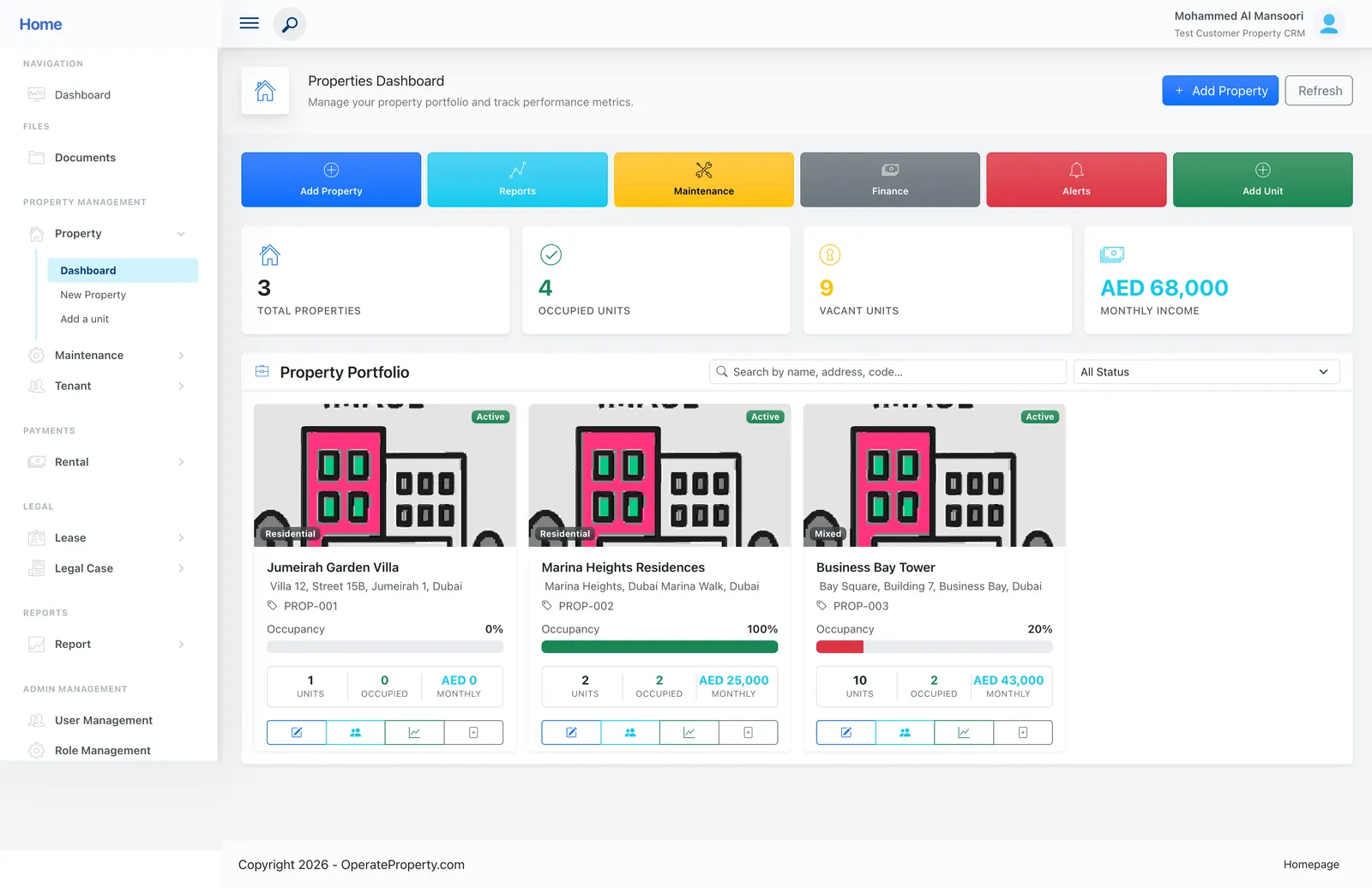
See how every property in your portfolio is doing
Track occupancy, active leases, tenants and vacancies for each property. Manage multiple companies under one account, each with its own operating settings.
- Free for one property
- No credit card
Sound familiar?
- Ownership shares maintained in a separate spreadsheet
- Different companies sharing one set of billing settings
- Having to retype records when moving a portfolio
How OperateProperty handles it
Property and unit records
Track floors, sizes, rents, amenities and photos. Use the property dashboard to review occupancy and vacancies or start a lease.
Several owners per property
Set ownership percentages on the property and store owner tax registration and bank details.
Separate company settings
Set currency, time zone, branding, invoice numbering, payment terms, late fees and reminders by company. Override the time zone per property.
CSV imports with a preview
Import companies, properties, units, owners, tenants and leases. Check row-level validation errors before records are saved.
“Before OperateProperty, we managed 35 rental units using Excel spreadsheets and WhatsApp. Now tracking rent payments and checking lease details takes just 5 minutes instead of 30 minutes.”
Ahmed, Property Manager
Portfolio management: common questions
Still unsure? Talk to a person — we reply the same day.
Can I manage a property with multiple owners?
Yes. Assign owners and their ownership shares on the property. The owner portal reports income and expenses by share.
Can companies under one account use different currencies?
Yes. Configure the currency per company. Published subscription prices are in AED.
Run next month’s rent on OperateProperty
Set up your portal in just a few minutes. Start with one property for free, or move your records faster with batch import/export on Business and Enterprise.
- No credit card for Starter
- Export your data any time
- Cancel whenever you like