Never miss a lease renewal again
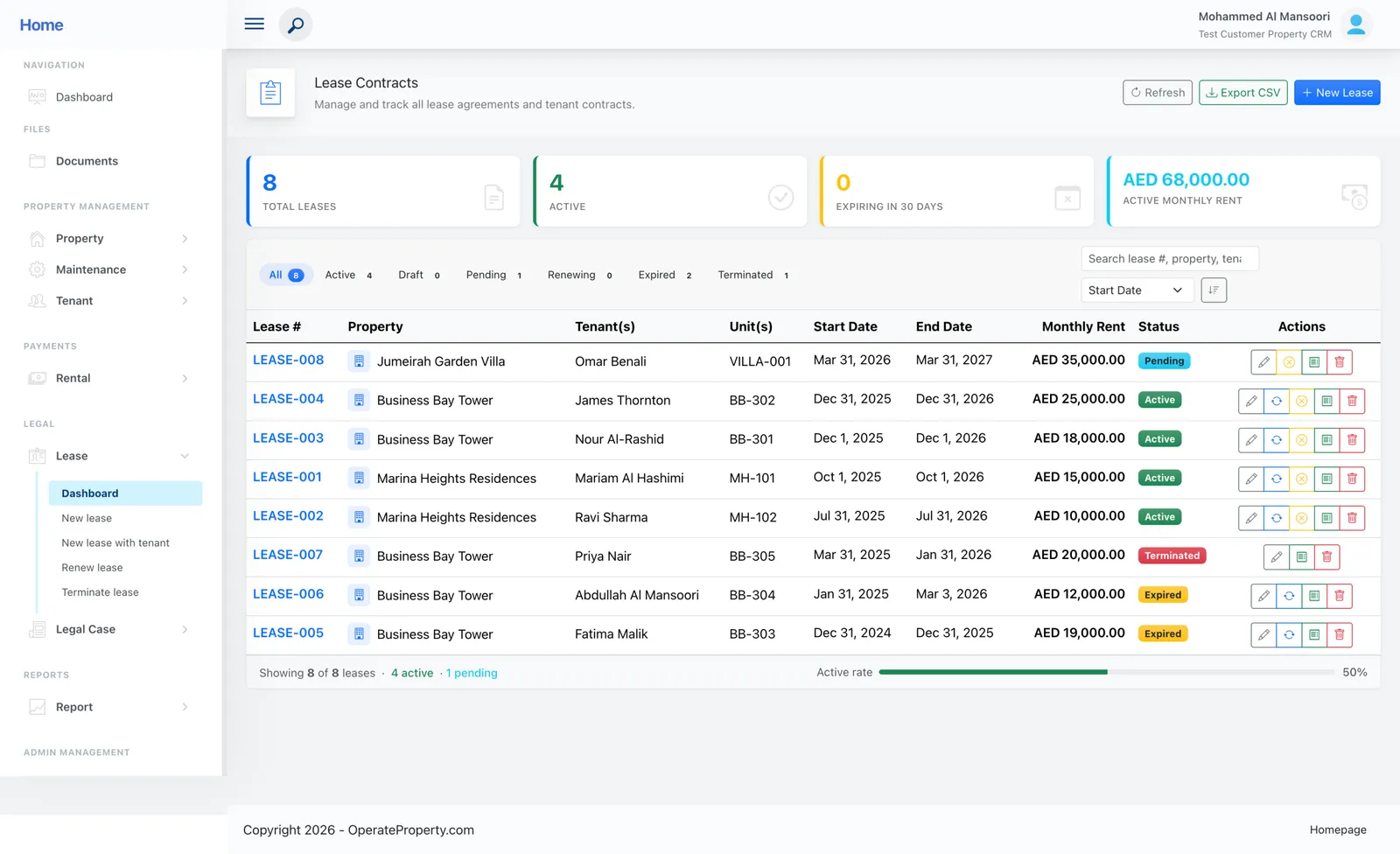
Track every lease through Draft, Pending, Active, Renewing, Expired and Terminated — with expiry warnings on your dashboard 30 days out.
- Free for one property
- No credit card
Sound familiar?
- Renewal dates living in a spreadsheet nobody checks
- Signed leases scattered across email and shared drives
- No live view of the monthly rent you’re actually contracted for
How OperateProperty handles it
Full lifecycle with one-click actions
Draft → Pending → Active → Renewing → Expired → Terminated, with filter tabs for each stage.
30-day expiry warnings
Leases about to expire surface on the dashboard calendar automatically.
Live rent roll
Active monthly rent is tracked across all active leases, updated in real time.
Everything links to the lease
Invoices, maintenance tickets, documents and legal cases all hang off the lease they belong to.
“This real estate application management solution has centralized all my properties, saving me hours of time with automation features for generating financial reports and tracking rent payments. The customer support team has been exceptional, making it an efficient tool for anyone managing multiple properties.”
Ahmed M., Property owner
Lease management: common questions
Still unsure? Talk to a person — we reply the same day.
Can I store signed lease documents?
Yes. The document vault keeps versioned contracts, ID proofs and financial documents per tenant and lease.
What happens when a lease becomes Active?
The invoice engine starts and schedules every rent invoice for the lease term automatically.
Can tenants see their lease?
On Business and Enterprise, tenants see their lease, progress and balances in the tenant portal.
Works together with
Run next month’s rent on OperateProperty
Add a property, create a lease and watch the invoices schedule themselves. It takes about ten minutes, and the Starter plan is free.
- No credit card for Starter
- Export your data any time
- Cancel whenever you like