A tenant portal your tenants will actually use
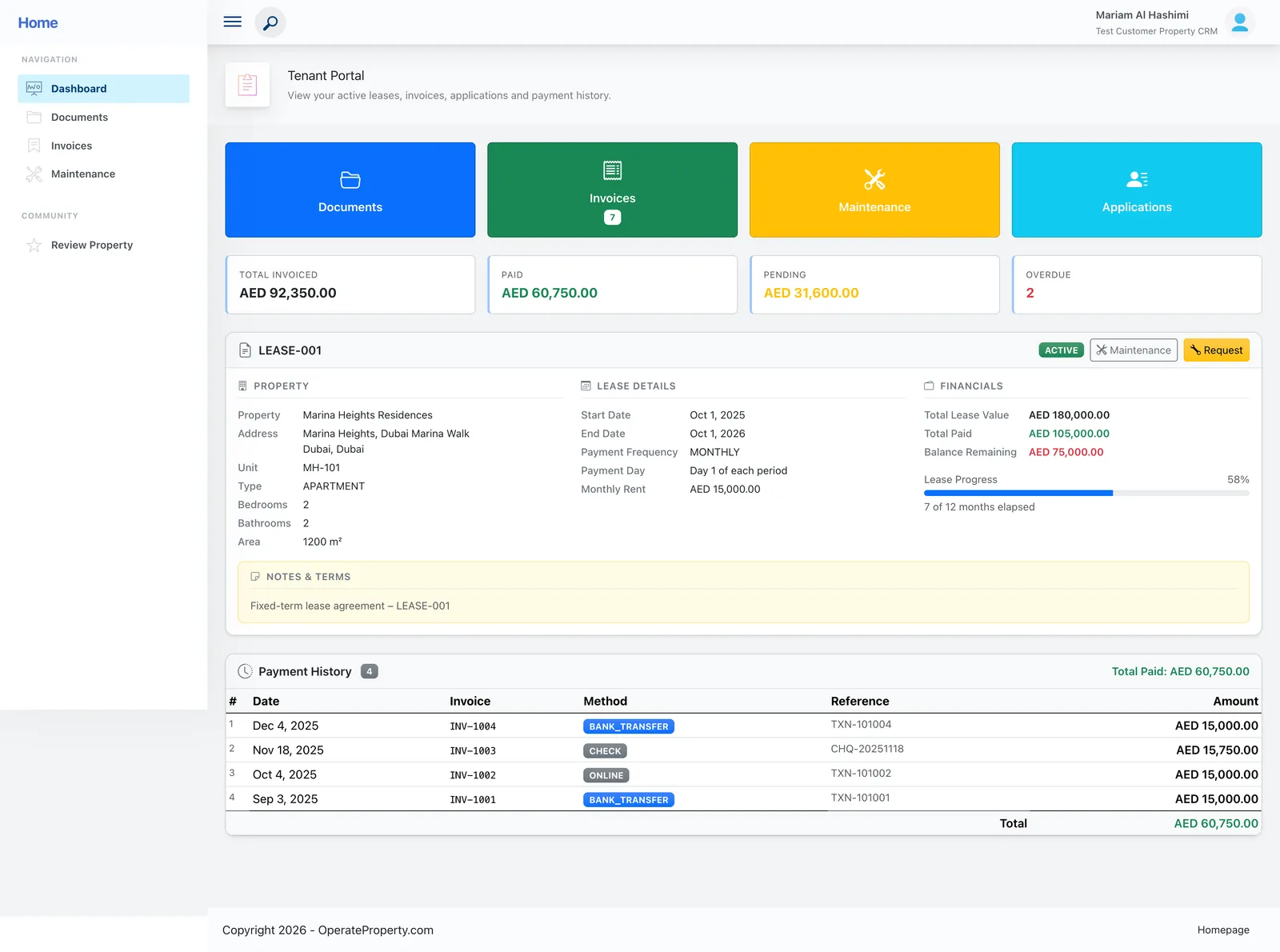
Tenants see their lease, balances and invoices, submit maintenance, manage documents and rate their property — so your team stops answering the same questions.
- Free for one property
- No credit card
Sound familiar?
- “How much do I owe?” messages every month
- Maintenance reported by phone with no follow-up
- Tenants asking for copies of documents you’ve already sent
How OperateProperty handles it
Lease progress and financials
A visual lease progress bar with total value, paid and remaining.
Invoices and balances
Every invoice with its status — paid, sent, overdue — and the balance in local currency.
Maintenance requests
Tenants submit requests that land straight on your Kanban board.
Property reviews
Multi-category star ratings for maintenance, cleanliness, security and value.
“This real estate application management solution has centralized all my properties, saving me hours of time with automation features for generating financial reports and tracking rent payments. The customer support team has been exceptional, making it an efficient tool for anyone managing multiple properties.”
Ahmed M., Property owner
Tenant portal: common questions
Still unsure? Talk to a person — we reply the same day.
Which plan includes the tenant portal?
The self-service tenant portal is included on Business and Enterprise.
Do tenants need to install anything?
No. The portal runs in the browser on any phone or computer.
Is each tenant’s data private?
Yes. Tenants only see their own lease, invoices, requests and documents.
Works together with
Run next month’s rent on OperateProperty
Add a property, create a lease and watch the invoices schedule themselves. It takes about ten minutes, and the Starter plan is free.
- No credit card for Starter
- Export your data any time
- Cancel whenever you like