Keep every property document where it belongs
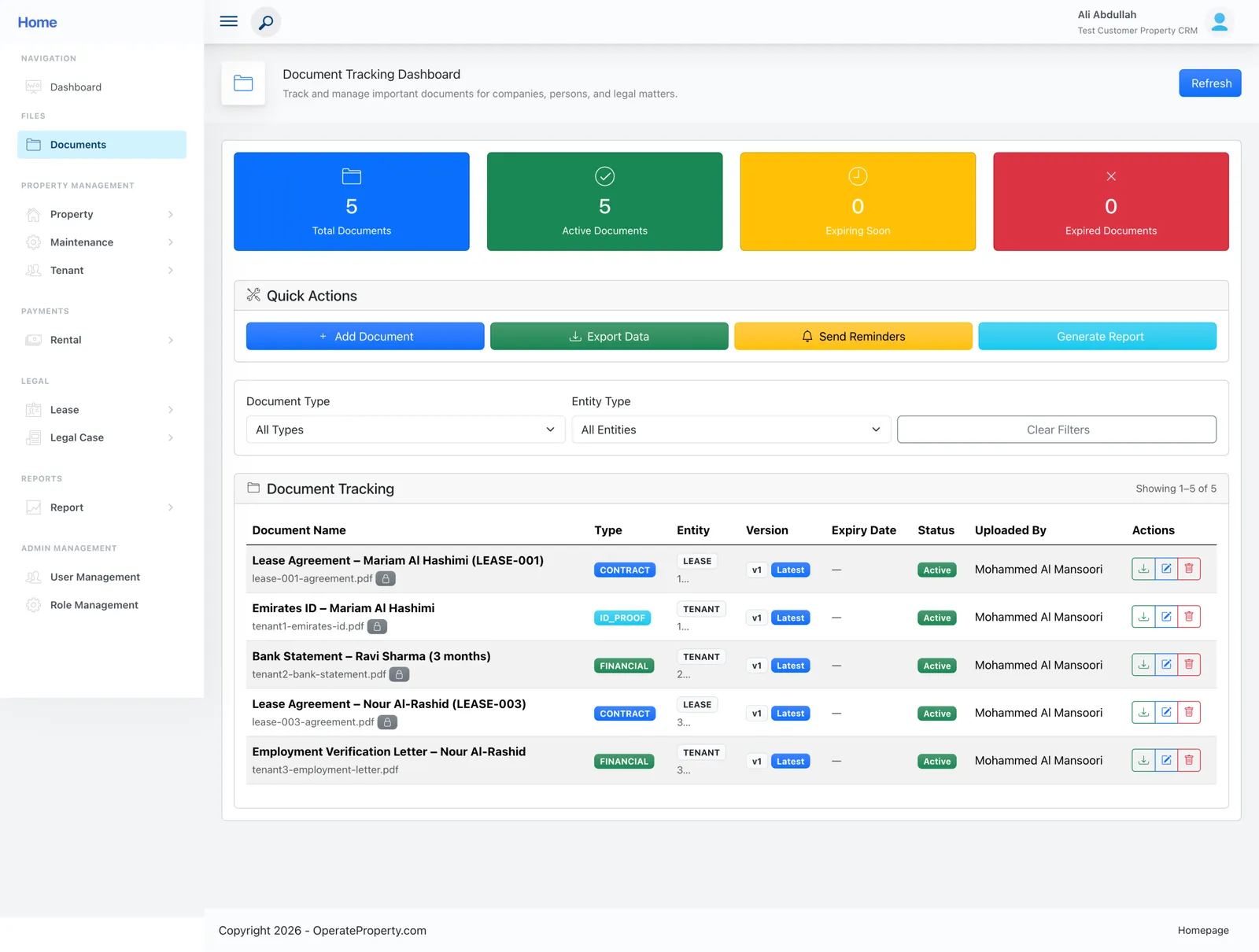
Link signed leases, tenant IDs and supporting files to the records your team works from. Tenants can upload documents through their portal and reuse verified files in later workflows.
- Free for one property
- No credit card
Sound familiar?
- Signed contracts spread across inboxes and shared drives
- Asking tenants for the same ID at every renewal
- Expired documents discovered too late
How OperateProperty handles it
Documents linked to the right records
Attach files to tenants, leases, properties and legal cases. Preview PDFs and images in the app.
Reusable verified documents
Review IDs, passports and permits once and reuse them when the tenant starts another process. Track expiry dates and get reminders before files expire.
Access controls and download history
Set access levels, share time-limited download links and review the access log.
Files for local workflows
Use built-in regional labels such as Emirates ID in the UAE and government-issued photo ID in Canada. Download a lease’s supporting documents together as a ZIP.
“Before OperateProperty, we managed 35 rental units using Excel spreadsheets and WhatsApp. Now tracking rent payments and checking lease details takes just 5 minutes instead of 30 minutes.”
Ahmed, Property Manager
Document Vault: common questions
Still unsure? Talk to a person — we reply the same day.
Can tenants upload their own documents?
Yes. Tenants can upload documents through the tenant portal when your team requests them during a lease process.
Can I see who accessed a file?
Document access is logged, and secure download links are time-limited.
Run next month’s rent on OperateProperty
Set up your portal in just a few minutes. Start with one property for free, or move your records faster with batch import/export on Business and Enterprise.
- No credit card for Starter
- Export your data any time
- Cancel whenever you like