Every repair tracked, nothing forgotten
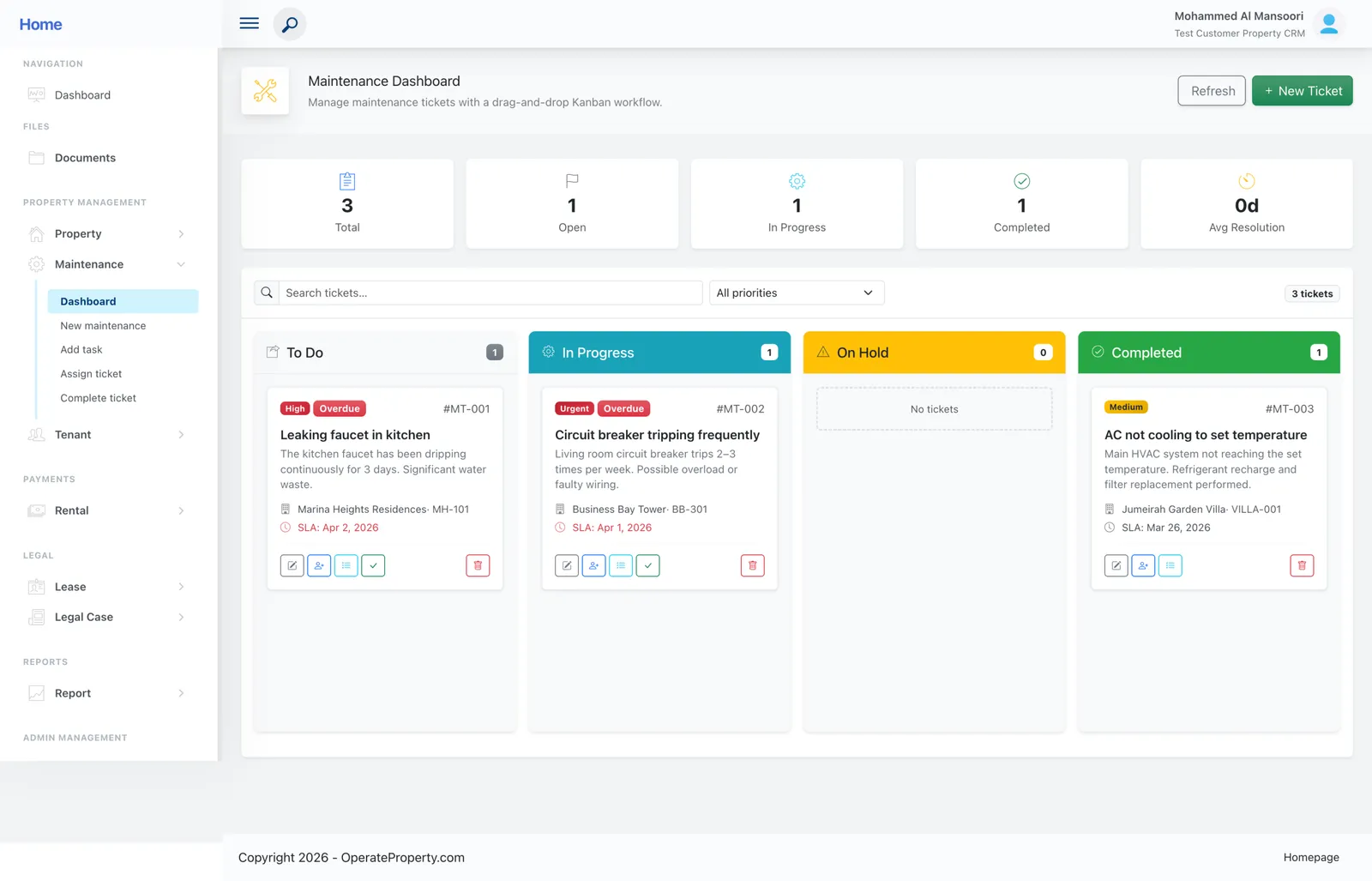
Tenants submit requests from their portal. Your team moves tickets across To Do, In Progress, On Hold and Completed — and overdue SLAs turn red on their own.
- Free for one property
- No credit card
Sound familiar?
- Repair requests lost in WhatsApp threads and phone calls
- No idea which jobs are late until a tenant complains
- No record of how long repairs actually take
How OperateProperty handles it
Drag-and-drop Kanban
Four columns, full ticket descriptions and technician assignment.
SLA deadlines that flag themselves
Each ticket shows its SLA date; anything past it is flagged Overdue across the board and dashboard.
Priorities that mean something
Urgent, High, Medium and Low with colour-coded labels.
Average resolution time
The board header shows average days to resolve so you can manage the team, not just the tickets.
“This real estate application management solution has centralized all my properties, saving me hours of time with automation features for generating financial reports and tracking rent payments. The customer support team has been exceptional, making it an efficient tool for anyone managing multiple properties.”
Ahmed M., Property owner
Maintenance: common questions
Still unsure? Talk to a person — we reply the same day.
Can tenants submit maintenance requests themselves?
Yes — requests from the tenant portal land in the To Do column as new tickets for triage.
Can I assign tickets to technicians?
Yes. Assign a technician to each ticket and track it through to Completed.
Is maintenance included on the free plan?
Yes. Starter includes the maintenance board with a ticket allowance; Business raises it substantially.
Works together with
Run next month’s rent on OperateProperty
Add a property, create a lease and watch the invoices schedule themselves. It takes about ten minutes, and the Starter plan is free.
- No credit card for Starter
- Export your data any time
- Cancel whenever you like