Starter
For an independent landlord or manager getting off spreadsheets.
Free
forever, for one property
Start freeNo credit card required
- 1 property
- 3 units
- 5 tenants and 5 leases
- 3 users
- Automatic rent invoices
- Maintenance board
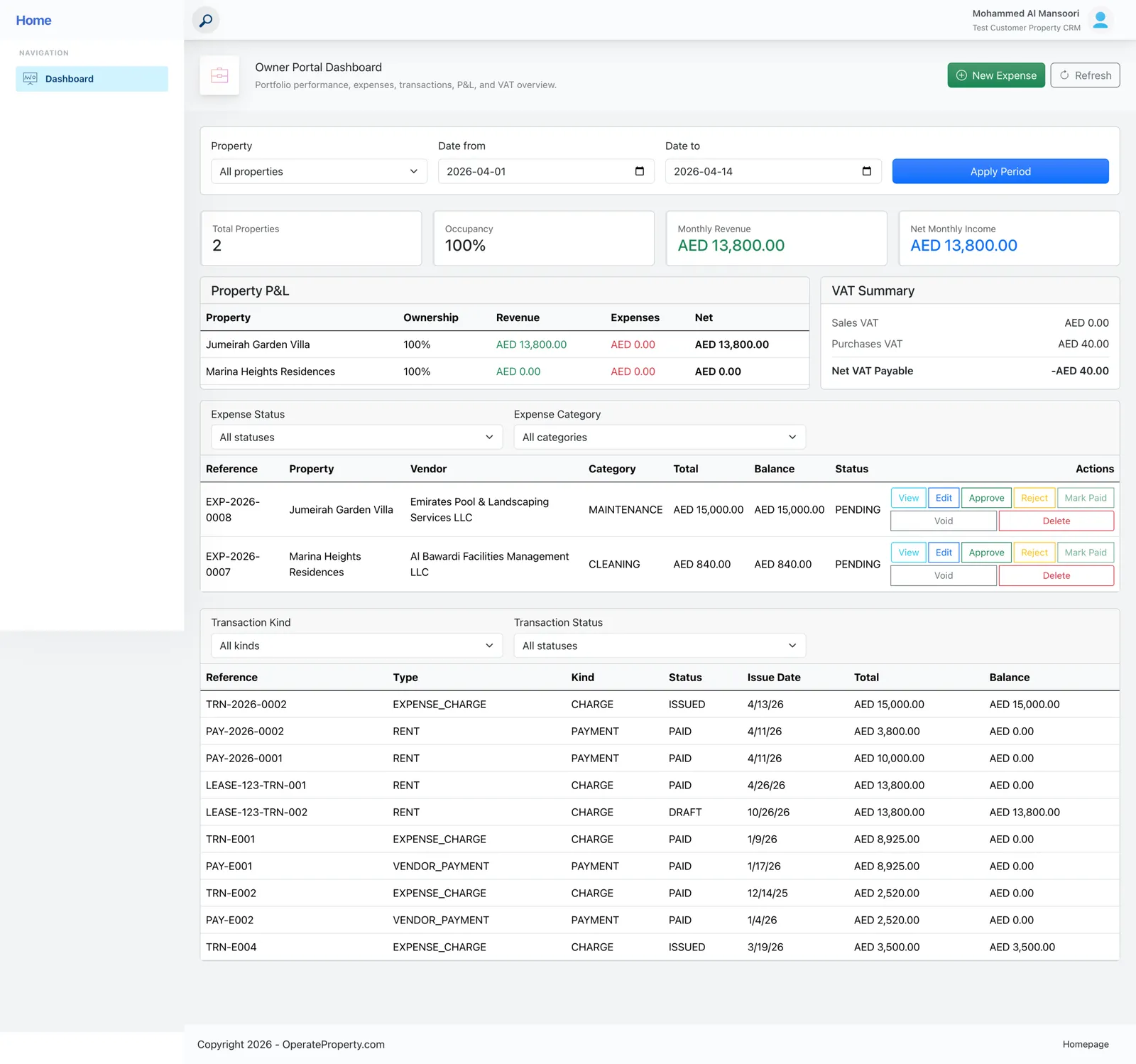
OperateProperty runs your leases, rent invoices, maintenance and legal cases from one dashboard — with self-service portals for tenants and owners. Get your portfolio off spreadsheets this week.
Here’s what changes in the first month.
No implementation project, no consultant. The same steps our quick-start guide walks you through.
Start freeProperties → New Property. Name, type, address and units.
Tenants → New Tenant Profile. Contact, employment and emergency details.
Pick tenant and unit, set dates, rent and payment frequency, mark it Active.
Every rent invoice for the lease term is scheduled and sent on its own.
Managers, tenants and owners each get their own view of the same live data.
Properties, leases, invoices, maintenance, legal cases and documents, all linked to each other.
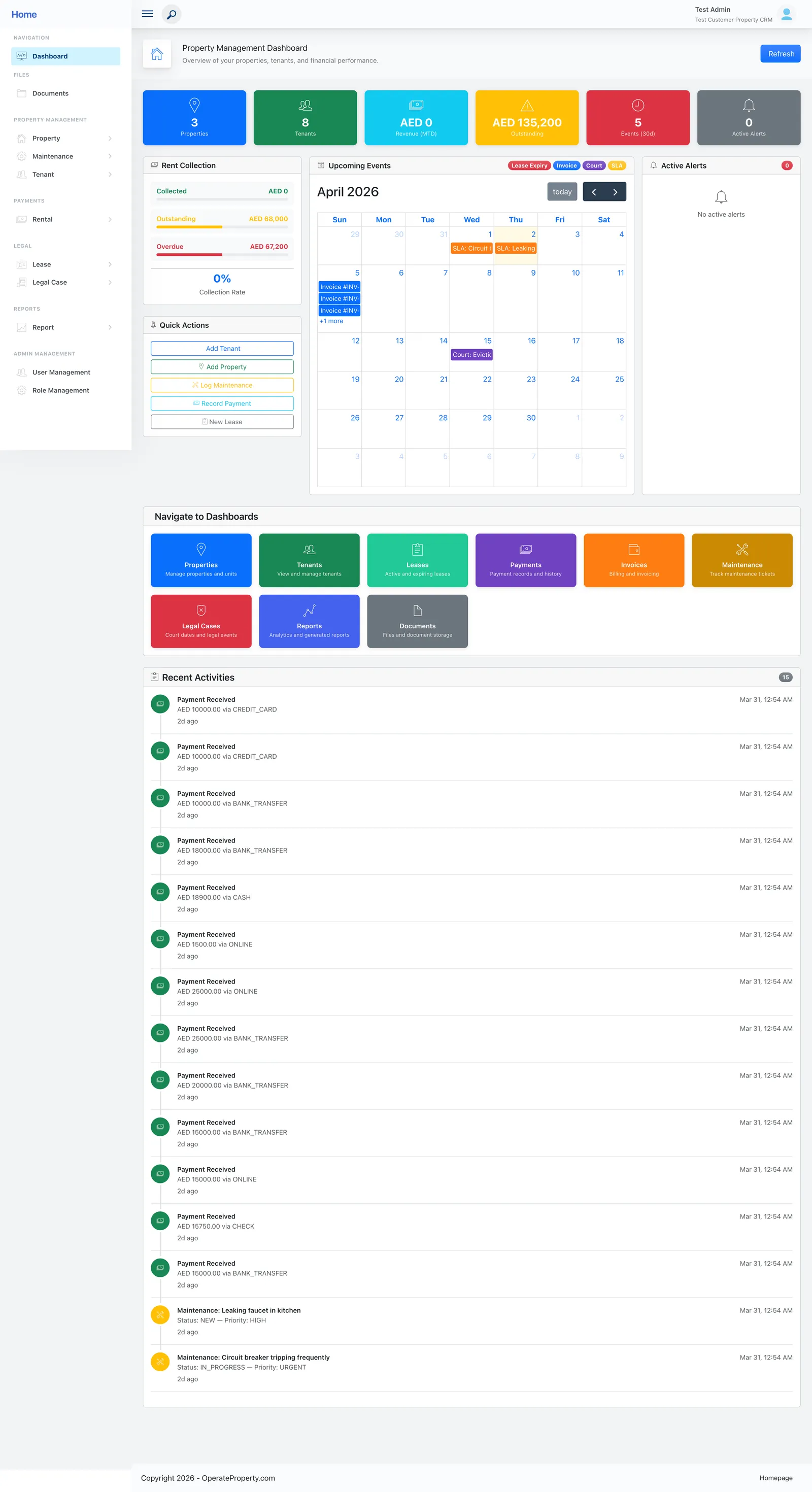
Tenants see their lease, balances and invoices, submit maintenance and manage their documents.
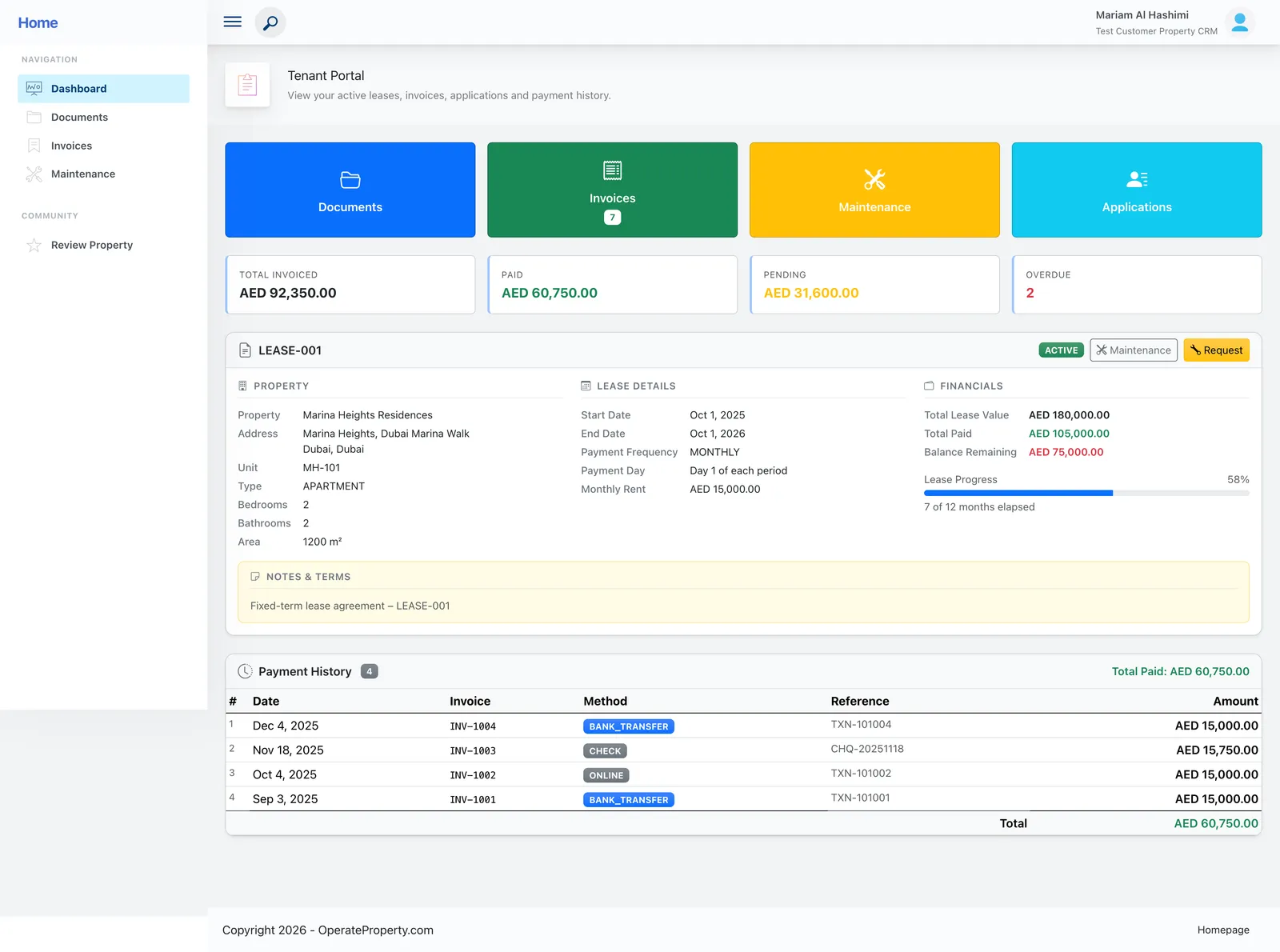
Owners see the performance of their own properties and approve costs submitted against them.
“Amazing and impressive capabilities!”
This real estate application management solution has centralized all my properties, saving me hours of time with automation features for generating financial reports and tracking rent payments. The customer support team has been exceptional, making it an efficient tool for anyone managing multiple properties.
Two brothers started OperateProperty in 2019 after running real portfolios on spreadsheets, email threads and PDFs. Today we work from Canada and the UAE.
Ran day-to-day property management for six years before co-founding OperateProperty — the workflows in the product are the ones he lived.
A decade building enterprise software. Leads the platform: multi-tenant architecture, isolated databases and continuous, zero-downtime releases.
Start free. Move to Business when you need the tenant portal, legal cases and room to grow.
For an independent landlord or manager getting off spreadsheets.
forever, for one property
Start freeNo credit card required
For growing property management companies.
per month, billed monthly
per month, billed AED 5,400 yearly. You save AED 600.
Choose BusinessCancel or change plan any time
For large portfolios and developers with custom needs.
tailored to your portfolio
Talk to salesAnnual contract, local-currency billing
We hold tenant IDs, leases and payments for you, so we treat them that way.
Still unsure? Talk to a person — we reply the same day.
No. The Starter plan is free for one property and asks for no card. You only add payment details if you upgrade to Business.
Most people add their first property, tenant and lease in about ten minutes. Business customers can bulk-import properties, tenants and payments from CSV.
Yes, by card through Stripe. Online payments cost 2.5% per payment, capped at AED 500, and Stripe’s fixed processing fees are absorbed by us. Payments you record manually (cash, cheque, transfer) are free.
Every client workspace runs on its own isolated database, all traffic is encrypted, and access is role-based. Card details are handled by Stripe and never stored by us.
Plans are billed in AED. Inside the product, Business and Enterprise support multiple currencies, configurable tax labels (VAT, GST, Sales Tax) and multiple languages.
Downgrade or cancel any time. Your data is kept for 30 days after cancellation so you can export everything to CSV or PDF.
Add a property, create a lease and watch the invoices schedule themselves. It takes about ten minutes, and the Starter plan is free.