Owner reporting without the month-end scramble
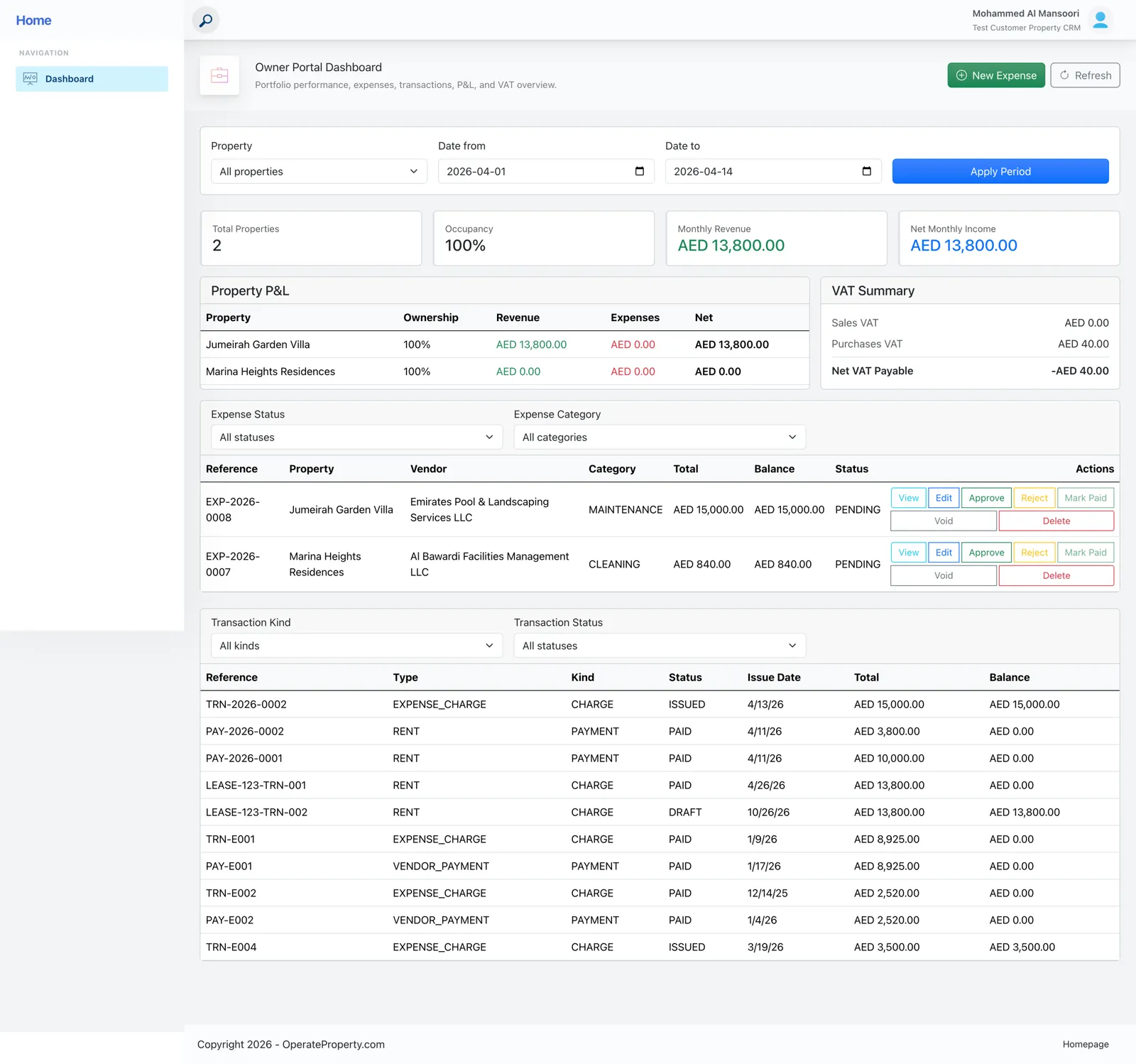
Owners log in to see revenue, expenses, net income and VAT for their properties, and approve costs — without you building reports or giving them CRM access.
- Free for one property
- No credit card
Sound familiar?
- Hours each month assembling owner statements
- Expense approvals stuck in email chains
- Owners asking for access you don’t want to give
How OperateProperty handles it
Portfolio P&L per property
Revenue, expenses, net income and ownership percentage for every property.
VAT summary
Sales VAT, purchases VAT and net VAT payable — ready for tax filing.
Expense approvals
Owners review, approve or reject pending costs submitted against their properties.
Transaction ledger
Payment history, expense charges and running balances in one place.
“This real estate application management solution has centralized all my properties, saving me hours of time with automation features for generating financial reports and tracking rent payments. The customer support team has been exceptional, making it an efficient tool for anyone managing multiple properties.”
Ahmed M., Property owner
Owner portal: common questions
Still unsure? Talk to a person — we reply the same day.
Can owners change anything in my CRM?
No. The owner portal is separate: owners see their properties’ financials and approve expenses, nothing more.
Does it handle partial ownership?
Yes. P&L shows each owner’s ownership percentage per property.
How do owners get access?
Invite them from your workspace; they sign in to their own portal.
Works together with
Run next month’s rent on OperateProperty
Add a property, create a lease and watch the invoices schedule themselves. It takes about ten minutes, and the Starter plan is free.
- No credit card for Starter
- Export your data any time
- Cancel whenever you like