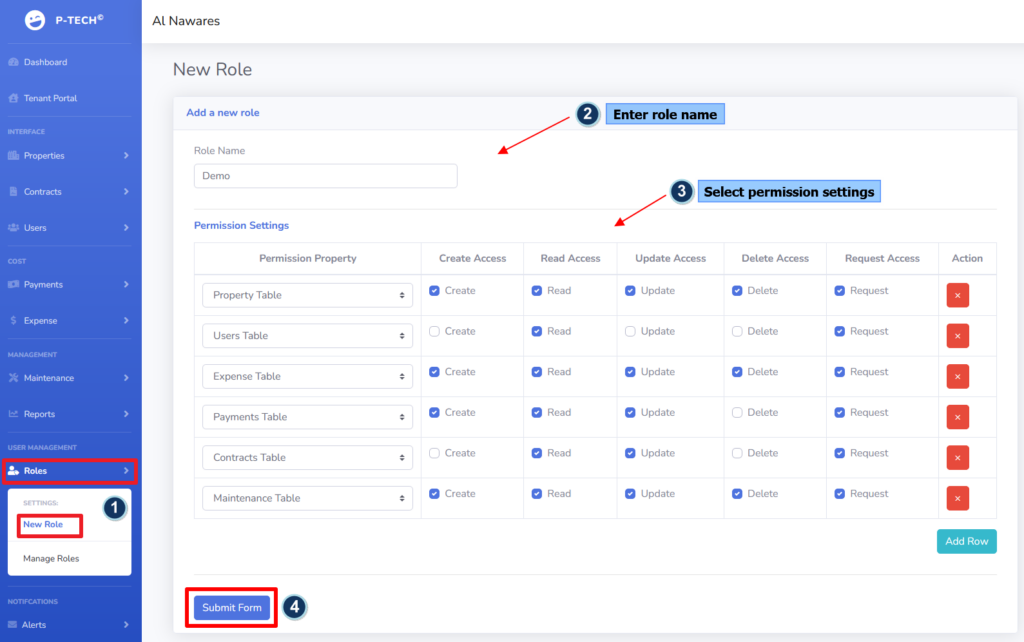
With this very flexible yet easy-to-use permission model, you can create granular roles to control access to different areas in the system according to your business needs. To create a new role, simply follow the steps below:
- Go to “Roles” > “New Role”.
- Enter the name of the role.
- Under the “Permission Settings”, add the permissions that the role is allowed to access; and select the permissions you would like to enable for the selected permission property. The permissions include create, read, update, delete, and access requests.
- Click on “Submit Form”.